
Managing finances is one of the biggest challenges for any small business owner. Manual bookkeeping is time-consuming. Human errors increase risk. Cash flow visibility is unclear.
This is where AI accounting software changes the game.
Modern AI bookkeeping tools use machine learning and accounting automation to categorize transactions, detect errors, generate reports, and predict cash flow trends.
AI Accounting Software for Small Businesses
AI accounting software is changing the working style of small businesses that manage their finances. Instead of spending hours on manual bookkeeping, business owners can now automate everyday accounting tasks with smart technology. These tools use artificial intelligence to categorize transactions, track expenses, create invoices, and automatically generate financial reports.
For small businesses, time and accuracy are important. AI bookkeeping systems reduce human error and provide real-time information about cash flow, profits, and expenses. This helps business owners make financial decisions faster and with more confidence. Many platforms also include tax calculation features, payment reminders, and automated bank reconciliation.
Whether you run a retail store, a service business, a restaurant business, or an online shop, accounting automation can simplify your work. Most AI accounting software solutions are cloud-based, easy to use, and designed for non-technical users.
By choosing the right AI accounting tools, small businesses can save more time, improve financial control, and focus more on growth rather than paperwork.
In this blog, we’ll compare the features, pricing, benefits, and limitations of the top AI accounting software solutions. By the end, you’ll have a clear understanding of which option best suits your business needs and how automation can simplify your financial management in 2026.
What is AI accounting software?
AI accounting software is a cloud-based accounting system powered by artificial intelligence and machine learning.

It automates tasks like
- Transaction categorization
- Invoice generation
- Expense tracking
- Financial forecasting
- Tax calculations
- Fraud detection
Unlike traditional software, it learns from your financial patterns and improves accuracy over time.
Why Small Businesses Need Accounting Automation
Small business owners often manage accounting themselves. This leads to:
- Time is wasted
- Data entry errors
- Financial information is delayed
- Tax compliance is at risk
With accounting automation, businesses can:
- Save 10–20 hours per month
- Reduce manual errors
- Access real-time financial information
- Improves decision-making
AI bookkeeping tools provide dashboards that simplify complex financial data.
Many small businesses registered under MSME can benefit from digital accounting adoption as recommended by government initiatives.
5 Best AI Accounting Software for Small Businesses
1. QuickBooks Online (AI-Powered)
Best for: Overall small business management
Its Features:
- Automated expense categorization
- Smart invoice reminders
- AI-powered cash flow forecasting
- Real-time reports
| Pros | Cons |
|---|---|
| User-Friendly Interface. | Higher Pricing for Small Startups. |
| Strong Automation Features. | Advanced Features Locked in Higher Plans. |
| Wide Integration Support. | Learning Curve for Complex Features. |
| Reliable Financial Reporting. | Additional cost for add-ons. |
2. Xero
Best for: Growing startups
Its Features:
- Bank reconciliation automation
- AI invoice matching
- Inventory tracking
- Smart financial reporting
| Pros | Cons |
|---|---|
| Strong automation for bank reconciliation and invoice matching. | Monthly pricing can increase as you add users or features. |
| Excellent third-party integrations with CRM, payroll, and payment tools. | Advanced tools may require time to understand. |
| Real-time financial dashboard with detailed reporting. | Payroll features are not equally available in all regions. |
| Scalable features suitable for growing businesses. | Customer support response time may vary depending on the plan. |
Excellent third-party integrations with payment gateways, CRM systems, and payroll tools.
3. Zoho Books
Best for: Budget-conscious businesses
Its Features:
- Automated workflows
- Expense auto-categorization
- Tax compliance tools
- Client portal for invoice management
| Pros | Cons |
|---|---|
| Affordable pricing compared to many competitors. | Limited third-party integrations compared to competitors. |
| Automated workflows reduce manual bookkeeping tasks. | Advanced reporting features are available only in higher plans. |
| Strong tax compliance and GST support. | Some automation features are restricted in basic plans. |
| Easy integration within the Zoho ecosystem. | Not as feature-rich as premium enterprise tools. |
Zoho Books is ideal for small businesses looking for cost-effective AI bookkeeping tools.
4. FreshBooks
Best for: Service-based businesses
Its Features:
- AI time tracking
- Smart invoicing
- Expense automation
- Proposal and estimate management
| Pros | Cons |
|---|---|
| Very user-friendly and beginner-friendly interface. | Limited inventory management capabilities. |
| Excellent invoicing and proposal features. | Pricing increases as the client list grows. |
| AI-powered time tracking for service professionals. | Fewer advanced accounting automation features compared to competitors. |
| Helpful customer support and onboarding resources. | Not ideal for product-based or retail businesses. |
FreshBooks suits consultants, agencies, and freelancers offering services.
5. Wave Accounting
Best for: Freelancers
Its Features:
- Free core accounting
- Automated receipt scanning
- Income and expense tracking
| Pros | Cons |
|---|---|
| Free core accounting features. | Limited AI automation features. |
| Easy and quick setup process. | Fewer advanced reporting options. |
| Simple income and expense tracking. | Payroll services cost extra. |
| A good option for beginners with basic needs. | Limited scalability for growing businesses. |
Wave accounting is a good starting point for freelancers who need basic accounting automation without upfront costs.
AI Accounting Software Comparison Table (2026)
| Software | Automation Level | Best For | Starting Price |
|---|---|---|---|
| QuickBooks | High | SMEs | Paid |
| Xero | High | Startups | Paid |
| Zoho Books | Medium-High | Budget Users | Affordable |
| FreshBooks | Medium | Service Firms | Paid |
| Wave | Basic | Freelancers | Free |
The best AI accounting software depends on your business size, automation needs, and budget. Startups may prefer scalable platforms like Xero, while freelancers can begin with free tools like Wave.
Real Case Study:
Business: Smart WebTech, India—a small service and consulting firm
Challenge: Managing hundreds of transactions each month from multiple bank accounts was confusing cash flow and prolonging reconciliation. Manual bookkeeping was delaying monthly book closings and resulting in unclear financial information.
To simplify accounting, owner Kewal Kothari adopted Zoho Books with Connected Banking—a feature that connects the business’s bank accounts directly to the accounting platform, automatically fetching and categorizing transactions in real time. This eliminated manual data entry and simplified bank reconciliation.
Read Also: What Is a Financial Risk Management Tool and Why Every Business Needs One in 2026
Results After Switching to AI-Enabled Accounting
- Automatic transaction categorization: Eliminates manual entry and reduces errors.
- Live cash flow visibility: Real-time bank feeds provide up-to-date information without month-end reconciliation.
- Faster financial closing: Smart banking integration speeds up monthly reporting.
- Simplified GST and tax compliance: With clear categorization and automated reporting, compliance becomes less stressful and more accurate. (This is a common benefit of using AI accounting systems in India, especially after the adoption of automation).
This case shows how automated accounting and integration features—key elements of modern AI accounting software—can significantly reduce bookkeeping burdens for small business owners, improve cash visibility, and support faster, more accurate financial management.
How to Choose the Right AI Accounting Software
Choosing the right AI accounting software doesn’t mean choosing the most popular name. It means choosing a system that fits your business structure, workflow, and financial complexity.
Here’s a detailed breakdown to help you make a confident decision.
1. Business Size and Complexity
The size of your business directly impacts what type of accounting automation you need.
Freelancers and solopreneurs
- Typically handle fewer transactions.
- Need simple invoicing, expense tracking, and tax summaries.
- Should choose lightweight AI bookkeeping tools with simple dashboards.
Small teams (2–20 employees)
- Manage payroll, vendor payments, and regular expenses.
- Need automated bank reconciliation and smart reporting.
- Need scalable AI accounting software that grows with the team.
Growing small businesses
- Handle inventory, multiple payment channels, and compliance needs.
- Need advanced features like cash flow forecasting and multi-user access.
- Should look for more accounting automation and integration support.
Choose a tool that matches your size to avoid paying more for features you don’t use.
2. Industry Type and Business Model
Every industry has different accounting needs according to their business.
Retail businesses
- Require inventory tracking.
- Require GST or sales tax reporting.
- Benefit from automated purchase order management.
Service-based businesses
- Focus on invoicing and time tracking.
- Require regular billing and client payment reminders.
- Benefit from AI-powered revenue forecasting.
E-commerce stores
- Handle multiple payment gateways.
- Require real-time reconciliation of online transactions.
- Require integration with platforms like Shopify or WooCommerce.
Before choosing AI accounting software, make a list of your daily financial tasks. Then choose a solution designed for your business model.
3. Level of Accounting Automation
Not all AI bookkeeping tools offer the same level of automation.
Ask these questions:
- Does it automatically categorize transactions?
- Can it detect duplicate or suspicious entries?
- Does it create smart financial reports?
- Can it predict future cash flow trends?
Basic tools automate data entry.
Advanced AI accounting software learns from your patterns and improves accuracy over time.
If your goal is to significantly reduce manual work, choose software with more automation capabilities.
4. Integration with Other Business Tools
Your accounting system shouldn’t work alone.
Check if the software integrates with:
- Payment gateways (Razorpay, Stripe, PayPal)
- CRM systems
- Payroll software
- Ecommerce platforms
- Banking apps
Strong integrations simplify accounting automation. This eliminates double data entry and reduces the risk of financial errors.
For small business owners, this can save many hours each month.
5. Budget and Long-Term Cost
Price should never be the sole deciding factor, but it does matter.
- Monthly vs. Annual Plan
- Hidden Costs for Extra Users
- Charges for Premium Automation Features
- Add-On and Integration Costs
Free tools may offer limited AI functionality.
Premium AI accounting software usually offers better automation, compliance tools, and scalability.
Instead of Choosing the Cheapest Option, Focus on Value for Money. A slightly higher monthly fee can save time, reduce errors, and improve financial clarity.
6. Ease of Use and Support
The job of technology is to make your work easier, not harder.
Look for the following:
- Clear and easy-to-use dashboard
- Mobile app access
- Availability of customer support
- Learning resources and tutorials
If the interface seems confusing during the trial period, it might not be the right fit.
So, before purchasing any AI tool, use a free trial. Test the automation features with real transactions. Check the clarity of reporting. Check how quickly you understand the dashboards.
The best AI accounting software is one that saves time, reduces stress, and gives you confidence in your financial data.
Informed decisions today lead to easier growth tomorrow.
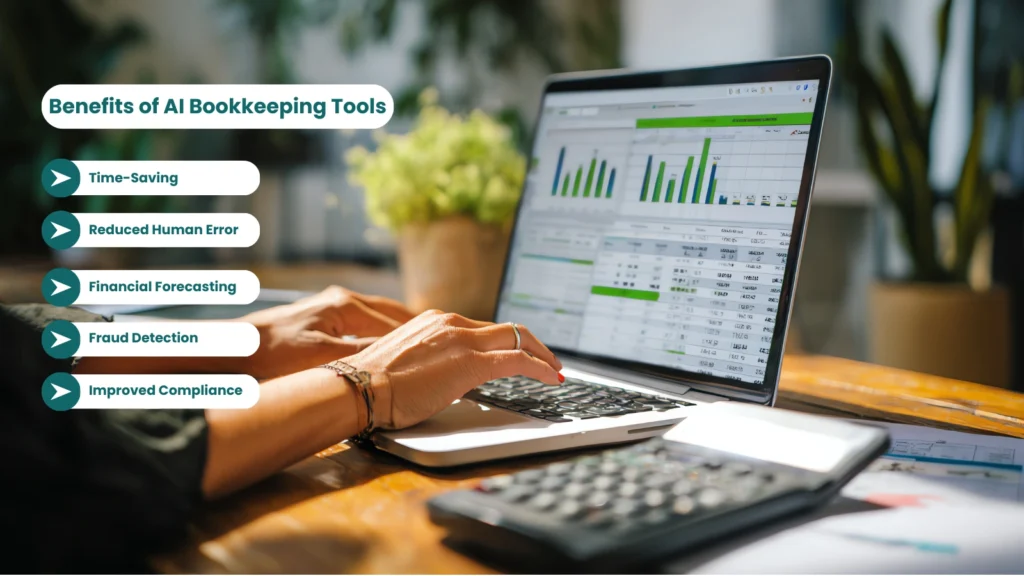
Benefits of AI Bookkeeping Tools
Time-Saving Automation
The biggest benefit that AI bookkeeping tools provide is time-saving automation. Small business owners waste a lot of time on manual data entry—like writing expenses, creating invoices, matching bank transactions, and generating reports.
AI accounting software does all of this automatically. Bank transactions are automatically synced, expenses are automatically categorized, and reports are generated instantly.
This can save you a significant number of hours each month. Meaning, you can focus less on paperwork and more on business growth.
Reduced Human Error
Mistakes are common in manual bookkeeping. Even a small typing error can cause a profit-loss report to appear incorrect.
AI bookkeeping tools use predefined rules and smart systems to automatically assign transactions to the correct category. The system also flags any duplicate entries or unusual transactions.
This ensures more accurate financial records and reduces future confusion.
Better Financial Forecasting
AI accounting software not only records past data but also provides insights into the future. This makes better financial forecasting possible.
The software analyzes your past income and expense patterns to predict future cash flow. If a slow month is coming, you can plan in advance.
This feature is especially helpful for small business owners who manage cash flow every month.
Fraud Detection
Financial security is crucial these days. AI bookkeeping tools can identify unusual transactions.
If a transaction deviates from normal patterns, the system alerts. This makes fraud detection easier and can save businesses from unnecessary losses.
Improved Compliance
Understanding tax rules and financial compliance can be a bit complicated, especially for small businesses.
AI accounting software automatically calculates GST or sales tax and creates compliance-ready reports. Some tools also provide deadline reminders, reducing the risk of late filing penalties.
This means less stress, more accuracy, and better legal security.
Small businesses should always stay updated with official tax regulations. You can check the official small business tax guide on the government website for detailed compliance rules
Conclusion
Choosing the right AI bookkeeping tools can transform financial management for any small business owner.
AI bookkeeping tools reduce manual labor, improve reporting accuracy, and help make better decisions through accounting automation.
If you want better cash flow clarity, automated invoicing, and stress-free tax filing, investing in AI-powered accounting systems is no longer optional , it is essential.
Start a free trial of one of the tools above and experience accounting automation. The sooner you automate, the faster your business will grow.
(FAQs) Frequently Asked Questions
Q. Is AI accounting software safe?
Ans. Yes, in most cases, AI accounting software is very secure. Reputable platforms use bank-level encryption to protect your financial data. This means your information is encrypted both during transfer and storage, making it difficult for unauthorized users to access it.
Many tools also follow international security standards and compliance regulations. They use secure cloud servers, two-factor authentication, and regular security audits to prevent data breaches.
However, safety also depends on you. Always choose trusted providers, enable strong passwords, and activate additional security features like two-step verification. When used correctly, AI accounting software is as safe as online banking.
Q. Can AI replace accountants?
Ans. No, AI cannot fully replace professional accountants. It is designed to assist them, not eliminate them.
AI accounting software automates repetitive tasks such as categorizing transactions, generating reports, and calculating taxes. This reduces manual work and human error.
But strategic financial planning, tax advice, business structuring, and compliance decisions still require human expertise. An accountant understands complex regulations and can guide you during audits or financial challenges.
In simple words, AI handles the routine tasks, while accountants focus on strategy and decision-making.
Q. Is it suitable for small businesses?
Ans. Yes, AI accounting software is especially useful for small businesses.
Many platforms are designed specifically for small business owners who may not have a dedicated finance team. The dashboards are simple. Reports are easy to understand. Most tools guide users step by step.
Whether you are a freelancer, retail shop owner, consultant, or run an eCommerce store, AI bookkeeping tools can help you manage income, expenses, invoices, and taxes more efficiently.
For small businesses with limited time and resources, accounting automation can make a significant difference.
Q. Does AI help with taxes?
Ans. Yes, AI can simplify tax management.
AI accounting software automatically tracks taxable transactions, calculates applicable taxes, and generates tax-ready reports. Some tools also send reminders for upcoming tax deadlines.
This reduces the risk of missing filings or making calculation mistakes. It also saves time during tax season because your financial data is already organized.
However, for complex tax situations, it is still wise to consult a professional accountant. AI helps with preparation, but expert review is always beneficial.
Q. What is the average cost?
Ans. The cost of AI accounting software varies depending on features and business size.
Some basic tools are free and suitable for freelancers or very small businesses. Paid plans typically start from around $10 to $40 per month. Advanced plans with payroll, inventory, and higher automation features can cost more.
Instead of focusing only on price, consider the value. If the software saves you several hours each month and prevents costly mistakes, it can easily justify the subscription cost.
Q. Do I need technical skills to use it?
Ans. No, you do not need technical knowledge to use most AI bookkeeping tools.
Modern platforms are built for non-technical users. The interface is usually clean and guided. Many tools offer onboarding tutorials, video guides, and customer support to help you get started.
If you can use online banking or basic business apps, you can use AI accounting software comfortably.
Most small business owners learn the system within a few days and start benefiting from automation quickly.